

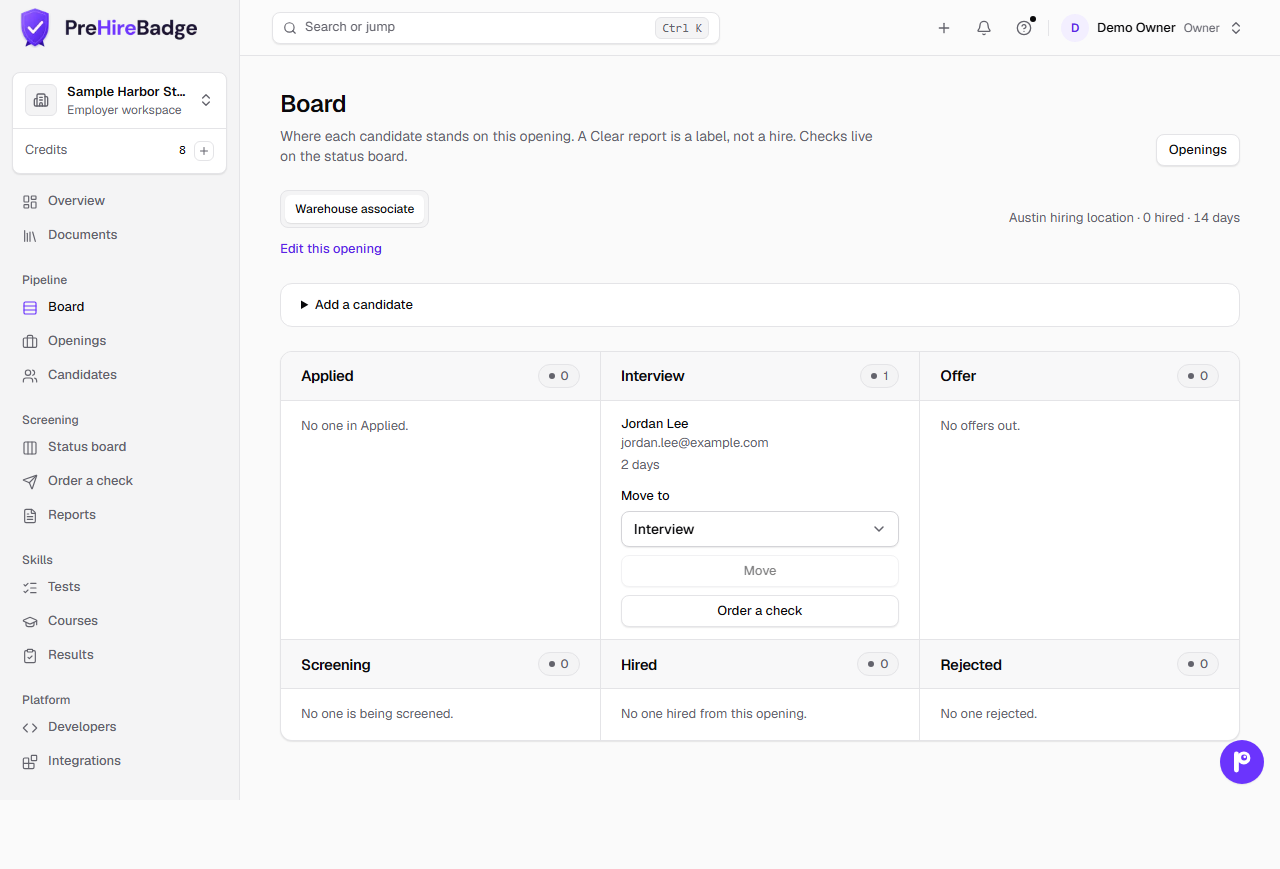
Pipeline is the hiring workspace. Screening is the check workspace. Board, Jobs, and Candidates are three pages. The stages are Applied, Interview, Offer, Screening, Hired, and Rejected. A skills quiz never appears here.
Who it is for. Owners and admins name jobs. Owners, admins, and hiring managers add candidates, move stages, write notes, and order checks. Viewers can look. They do not see notes.
- On Jobs, name the job and its work location. Headcount is a target, not a limit. The pay band fills the order form, and you still confirm it there. The description is for your team.
- On the board, add a candidate. They start in Applied. Candidates is the full list, with search by name or email.
- Order a check from that card when you want to screen them. The same candidate moves to Screening. A second record is not created.
- A Clear report shows on the card. It does not mark anyone Hired. You move them.
The candidate page keeps notes for your team, the stage history, and the checks. Notes are not on the report or the invite. Move someone to another job from that page. The stage does not change when you do.
The same page has a References section. An owner, admin, or hiring manager can request references there. The board card shows Refs with how many are in. Answers stay on that page, separate from the employment report, and they do not move the stage. See reference checks.
PATCH /api/v1/candidates/:id/stage sets the same stage. Rejected needs reason. Use other with reasonNote. POST /api/v1/requisitions takes a title, and optionally locationId, headcount, payBand, and description. A person who only has a skills quiz is not on this board, and that stage call returns Candidate not found. Related: order a check.