Applicants can fill their name and email from LinkedIn on your apply form. They still finish the form on your page, and they can edit anything the button filled in.
Who it is for. An owner whose jobs use the PreHireBadge apply form.
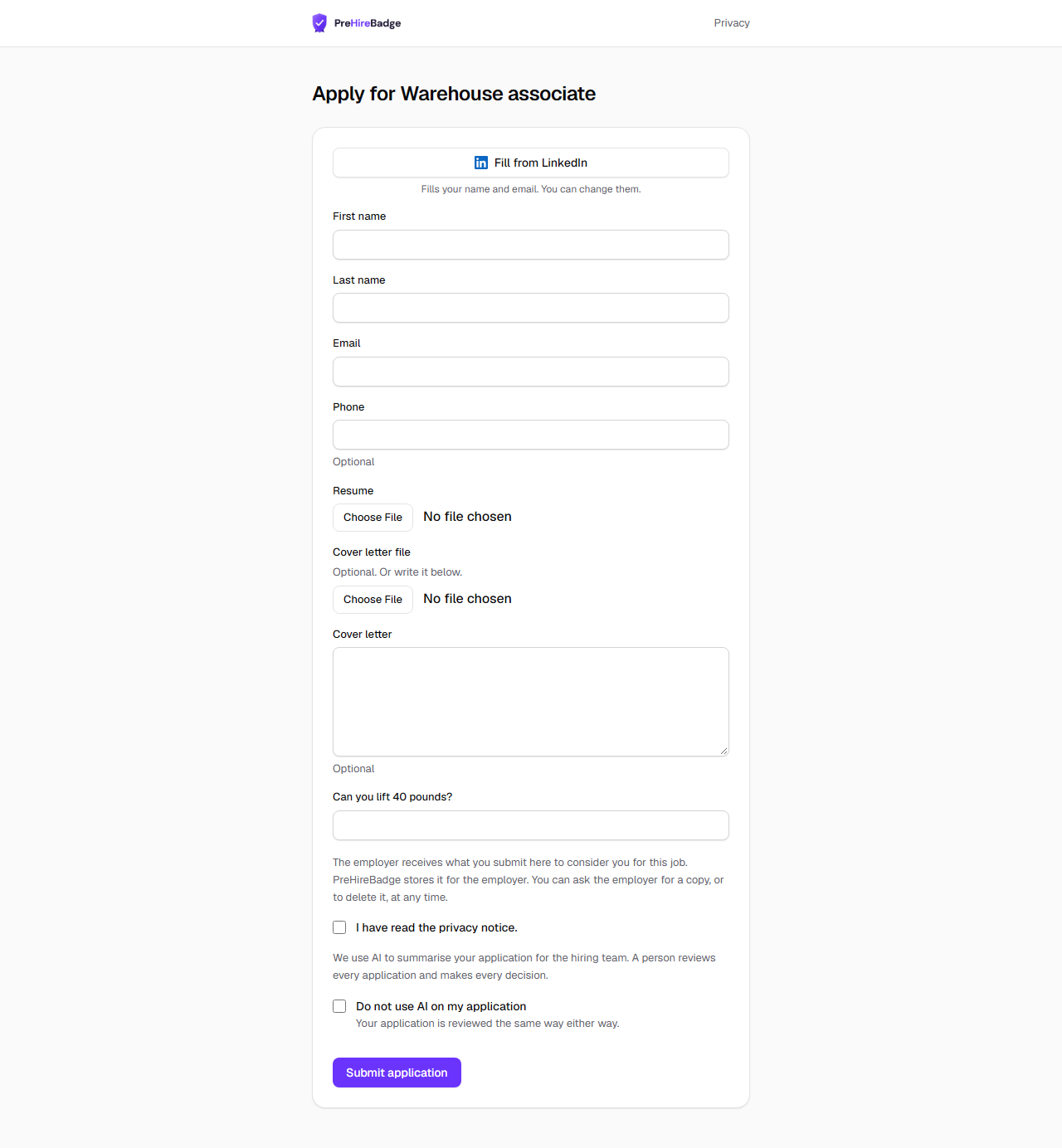
Fill from LinkedIn
When Fill from LinkedIn is turned on, the button sits above the name fields on every apply form, including a form embedded on your own site. It fills the first name, last name, and email only. The person chooses a resume and finishes the rest of the form after they return.
- Nothing else from the LinkedIn profile is kept. No photo, no headline, and no token.
- If LinkedIn does not share the details, the form is unchanged and shows a note so the person can type them instead.
What Applicants shows
See Careers page and embed and Applicants.
Forward applicant emails from LinkedIn and Indeed
Each job has an email address on its posting page. Forward a LinkedIn or Indeed notification to it, or set it as the reply address on the board. Messages we can read become applicants. LinkedIn notifications do not include an email, so they wait in Needs details until you add one. See Email applications.