

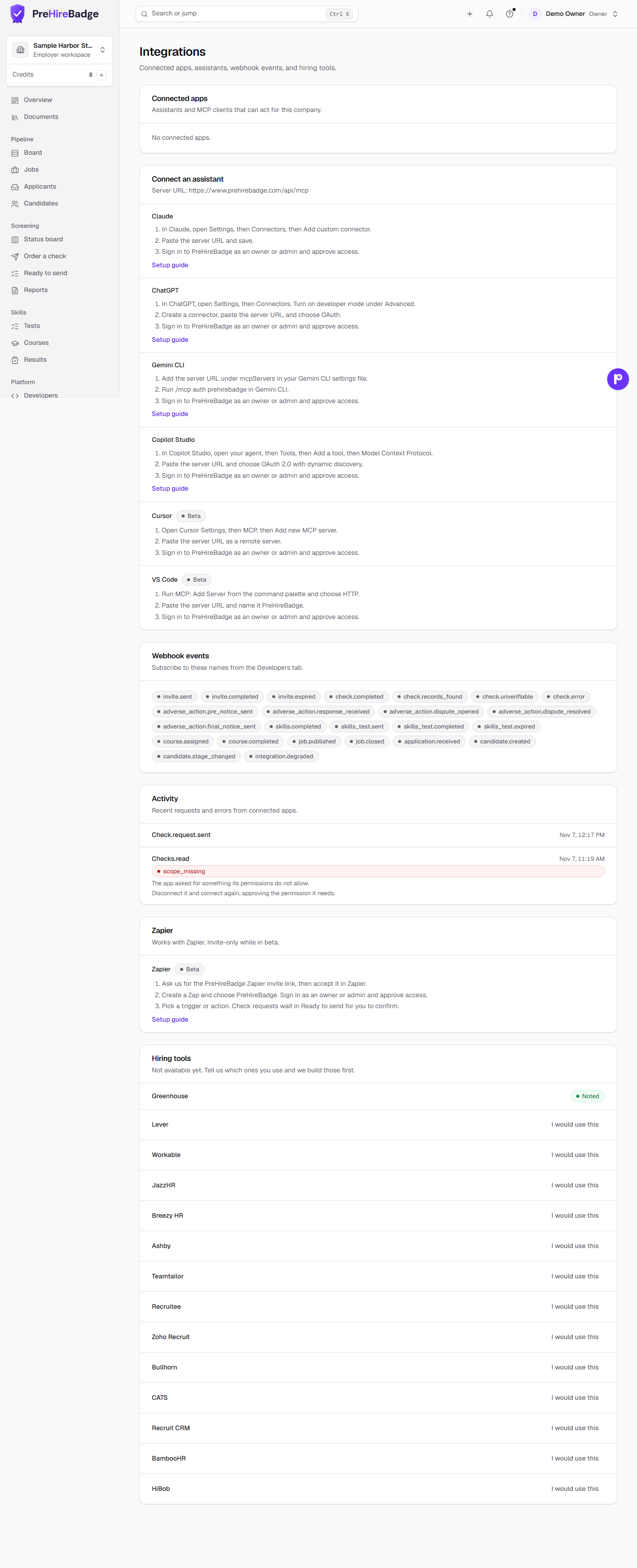
ChatGPT can check status, review applicants, and manage jobs in PreHireBadge after an owner or admin approves the connection.
Who it is for. An owner or admin connecting ChatGPT.
Connect ChatGPT
- In ChatGPT, open Settings, then Connectors. Under Advanced, turn on developer mode. Custom connectors depend on your ChatGPT plan, and a workspace admin may need to allow them.
- Create a connector. Paste
https://www.prehirebadge.com/api/mcpand choose OAuth. - Sign in to PreHireBadge as an owner or admin and approve access.
What the assistant can see
With the permissions you approve, it can read check status, jobs, applicants, candidates, and connected apps. It can draft and publish a job, add an applicant or a candidate, move a stage, and add a note. Publishing asks you to confirm first. The full list is in MCP tools.
What stays in PreHireBadge
The assistant never sees reports, results, resumes, or AI summaries. Record detail is not included.
Disconnect
Open Settings, then Integrations. Disconnect turns off every token for that app.