

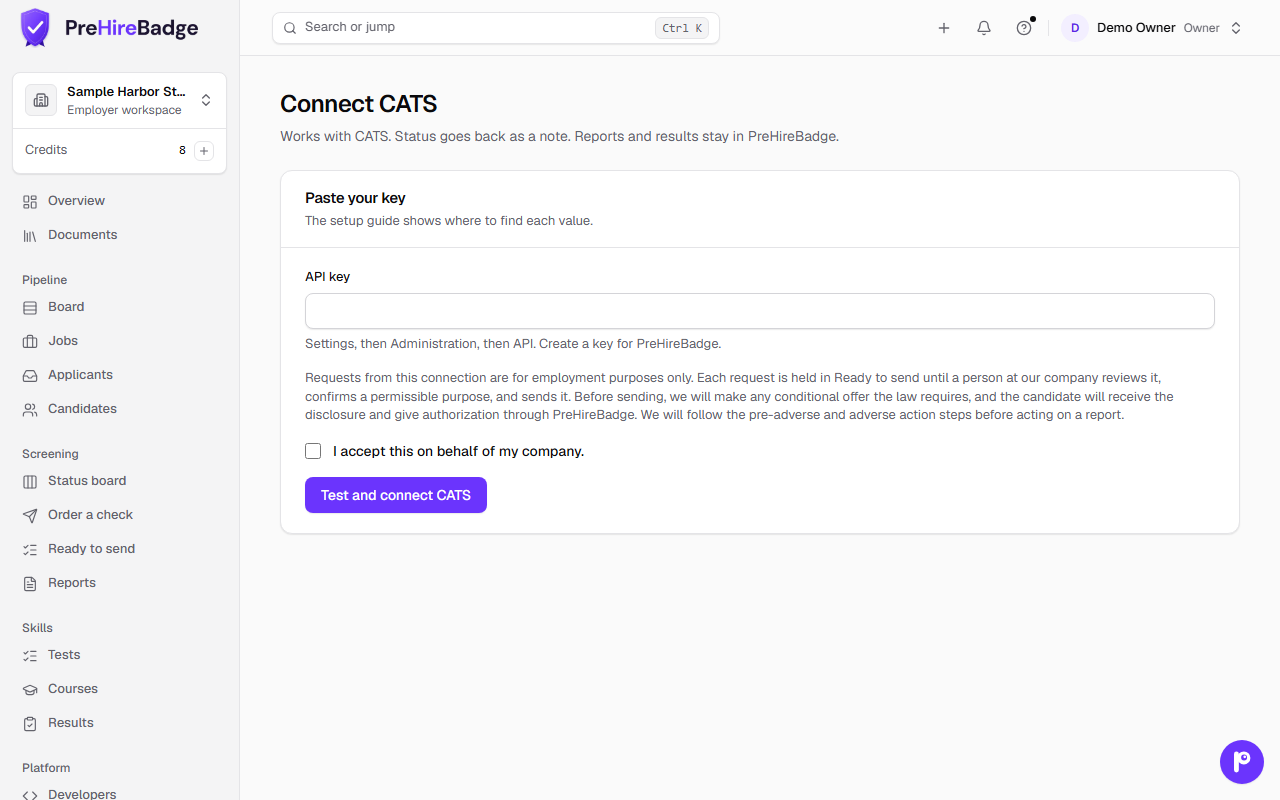
Works with CATS. When a candidate reaches a pipeline status you choose, PreHireBadge creates a check request in Ready to send. A person on your team confirms and sends it. When the check is complete, CATS gets a status note posted as an activity on the candidate, regarding the job. Reports, results, and AI summaries stay in PreHireBadge.
Who it is for. An owner or admin who uses CATS to manage candidates and wants check requests to start from the hiring pipeline without switching tools.
How to connect
- In CATS, open Administration, then API. Create an API key and copy it.
- In PreHireBadge, open Settings, then Integrations, find CATS, and choose Connect. Paste the API key and accept the integration certification.
- Pick the pipeline statuses that should request a check, and choose which statuses mean rejected and placed. CATS lets each company define its own statuses, so PreHireBadge uses your choices to run the adverse action watchdog.
What CATS receives
PreHireBadge posts a status note as an activity on the candidate in CATS, regarding the job. It looks like this:
PreHireBadge background check: Clear. Updated Nov 10, 2026. Check 0B6F2B1E. Sign in to view: …
CATS never receives the report, results, AI summaries, or resumes. PreHireBadge reads the statuses you chose as rejected and placed to run the adverse action watchdog.
Instant updates and the five-minute check
When a check finishes, PreHireBadge posts the status note to CATS right away. A background check also runs every five minutes and picks up any changes the instant update may have missed. Each check walks the first 50 jobs, so a larger account can take more than one five-minute check to see everyone until instant updates are on. CATS allows 500 API requests per hour.
A person sends every check
When something fails
Settings, then Integrations, lists each connected app. The Activity card shows recent requests. Each error includes a short fix. Common problems:
- The hiring tool did not accept the saved key. The API key may have been revoked. Create a new one in CATS under Administration, then API, then Disconnect and connect again with the new key.
- The hiring tool refused a request. A pipeline status you chose may have been renamed or removed. Reselect the statuses in the Setup section on the integration page.
- The hiring tool asked PreHireBadge to slow down. CATS enforces a 500-request hourly limit. PreHireBadge picks up where it left off on the next run.
Disconnect there to stop the integration. Requests already waiting in Ready to send can still be dismissed.
See Integrations and the FCRA and adverse action watchdog for more on how connected hiring tools work with PreHireBadge.